



Vector guides
rConfig Vector spreads configuration management across your customer networks. These guides cover how to lay it out: which architecture fits, how agents connect, and how engineers reach customer devices. The step-by-step procedures stay in the Vector documentation; these pages explain the design behind them.
Vector in three layers
| Layer | Component | What it does |
|---|---|---|
| Collection | Vector Agent | A lightweight collector that connects to network devices over SSH, collects configurations and applies changes. |
| Processing and storage | rConfig V8 Vector Server | Stores configurations, backups and change history, and schedules backup and change jobs through its agents. Provides the full V8 Pro feature set, including compliance, reporting and notifications. |
| Control and orchestration | Vector Central Manager (optional) | Owns the global inventory, users and roles, and dispatches work to regional Vector Servers over RabbitMQ. Only needed for very large or multi-country deployments. |
Most MSPs and enterprises run the first two layers only: one Vector Server and its agents.
Six reference architectures
Each design has its own guide: what it implements, how traffic flows, pros, cons and growth path. Figures 1 to 3 are validated designs. Figures 4 to 6 are reference designs.
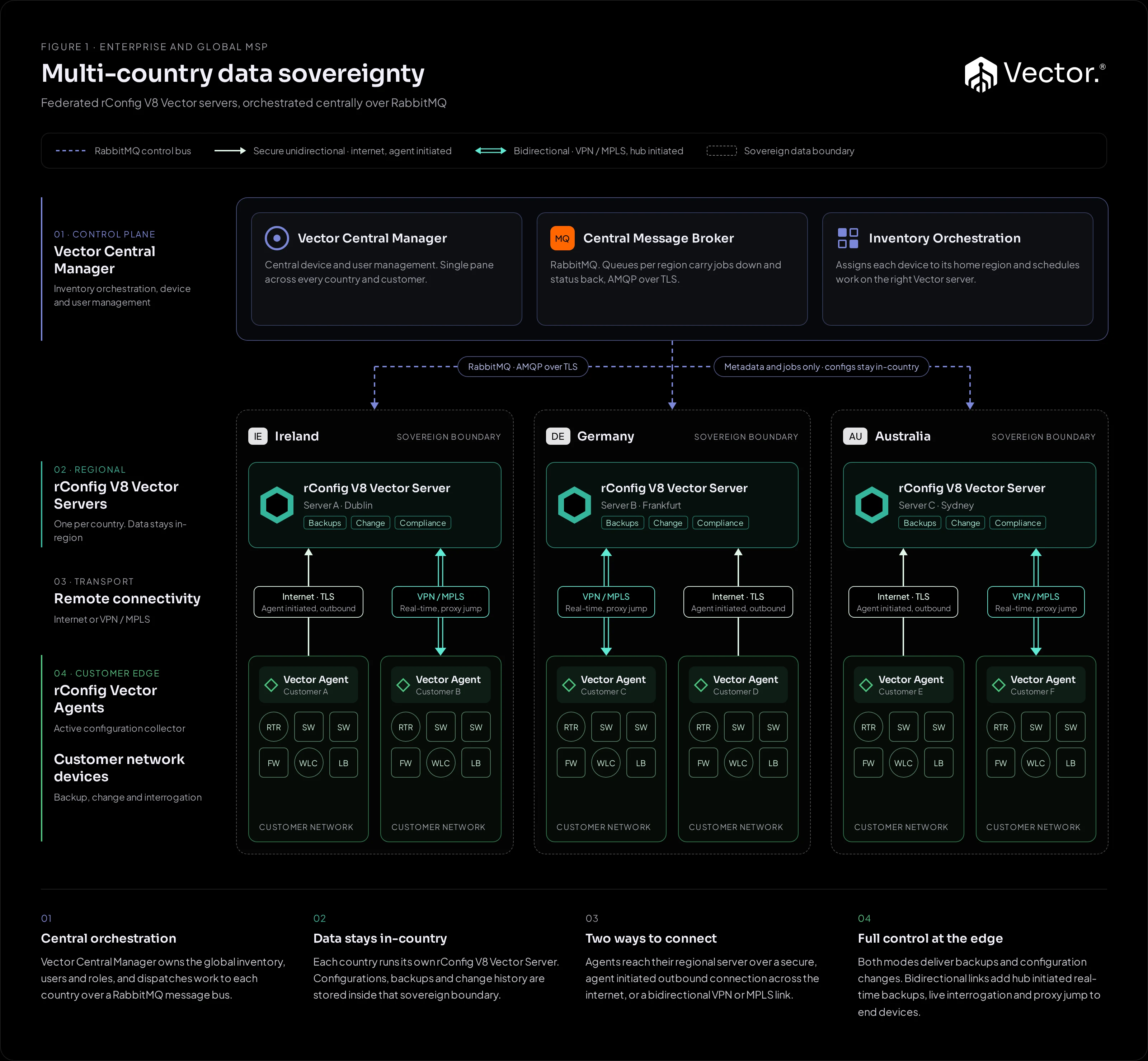
Figure 1Validated design Multi-country data sovereignty A Vector Server per country under a Central Manager. Configuration data stays in-country.
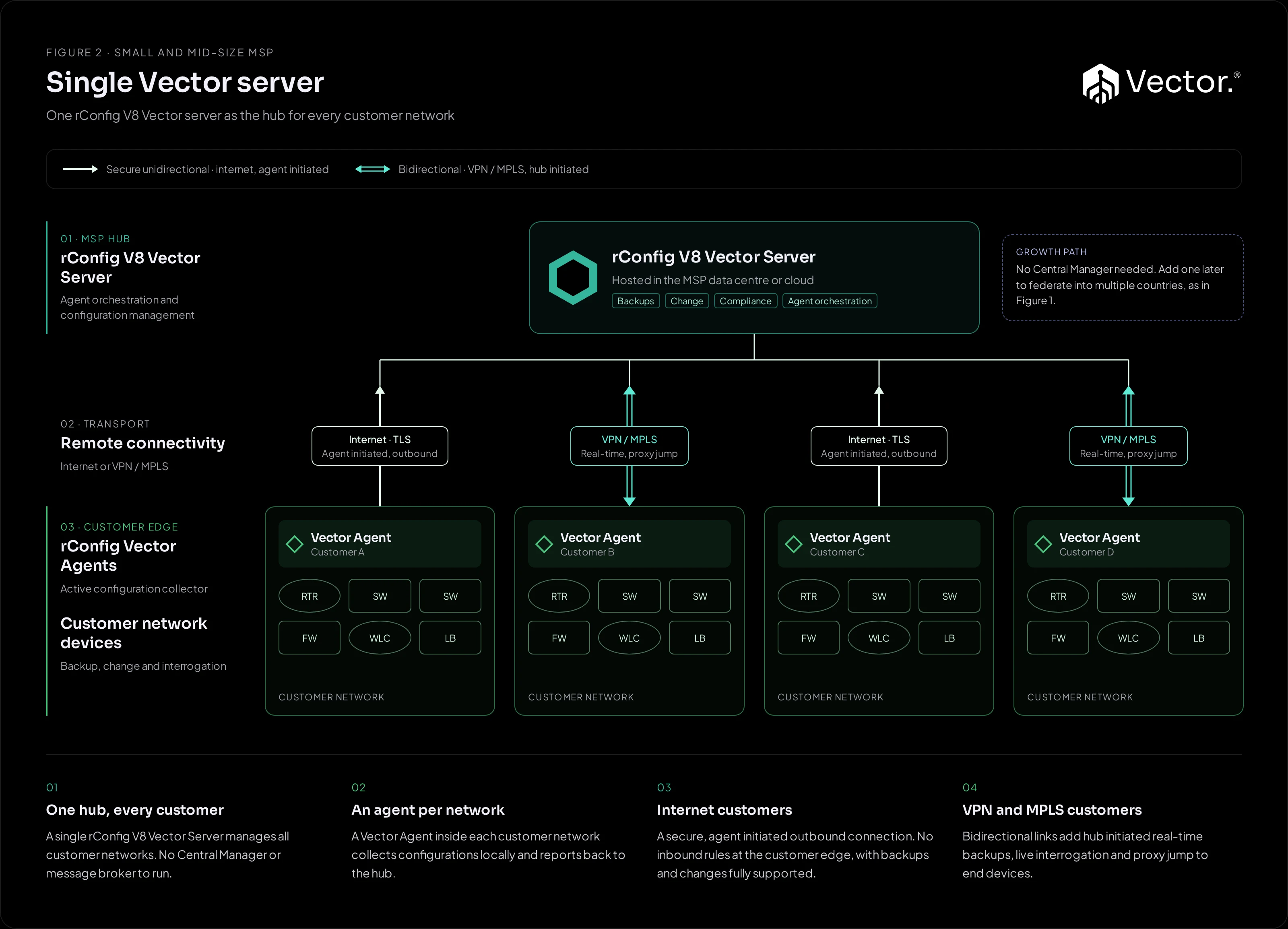
Figure 2Validated design Single Vector server One hub for every customer network, with an agent in each. The fewest moving parts.
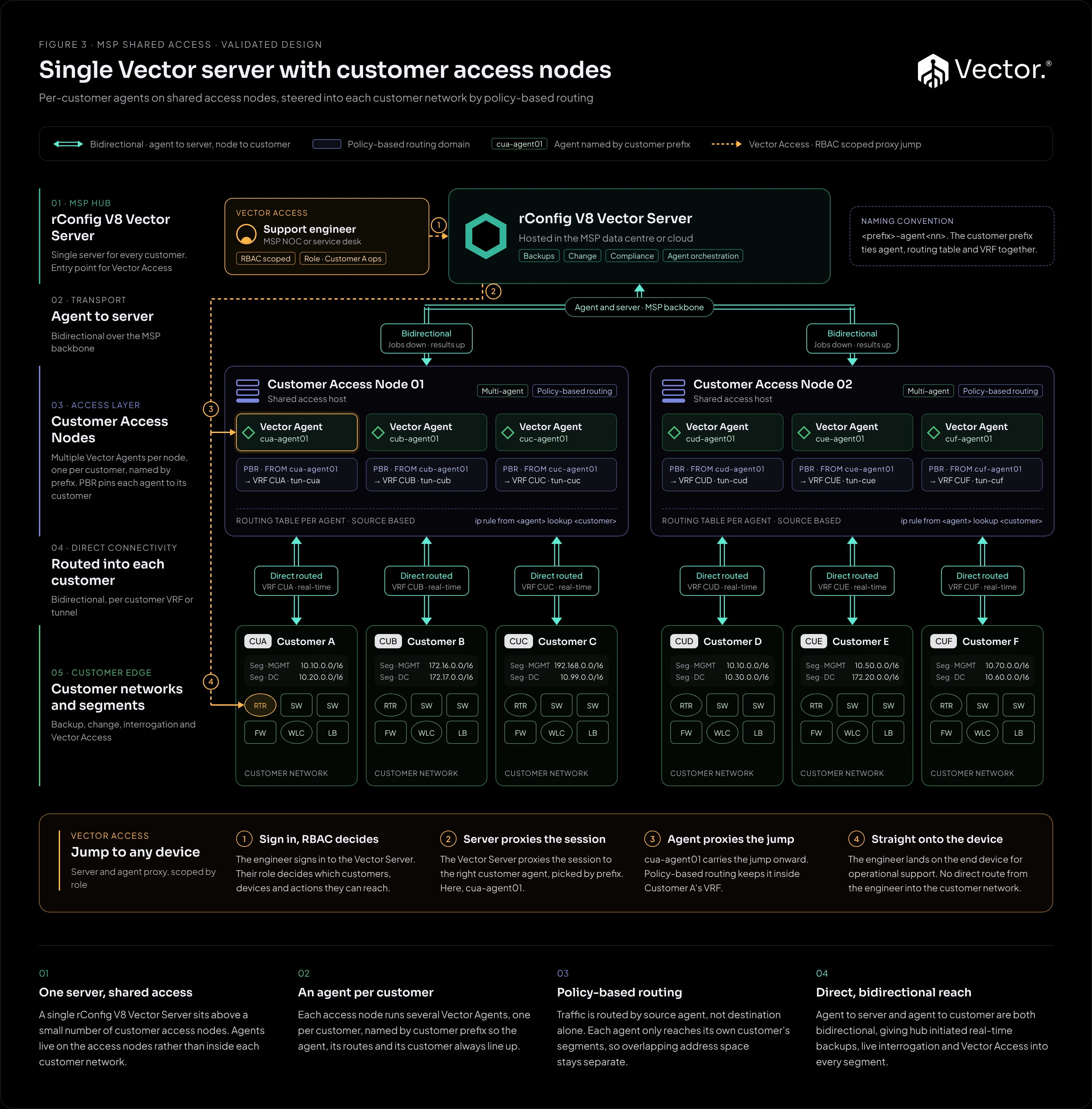
Figure 3Validated design Customer access nodes Per-customer agents on shared access nodes, with Vector Access for operational support.
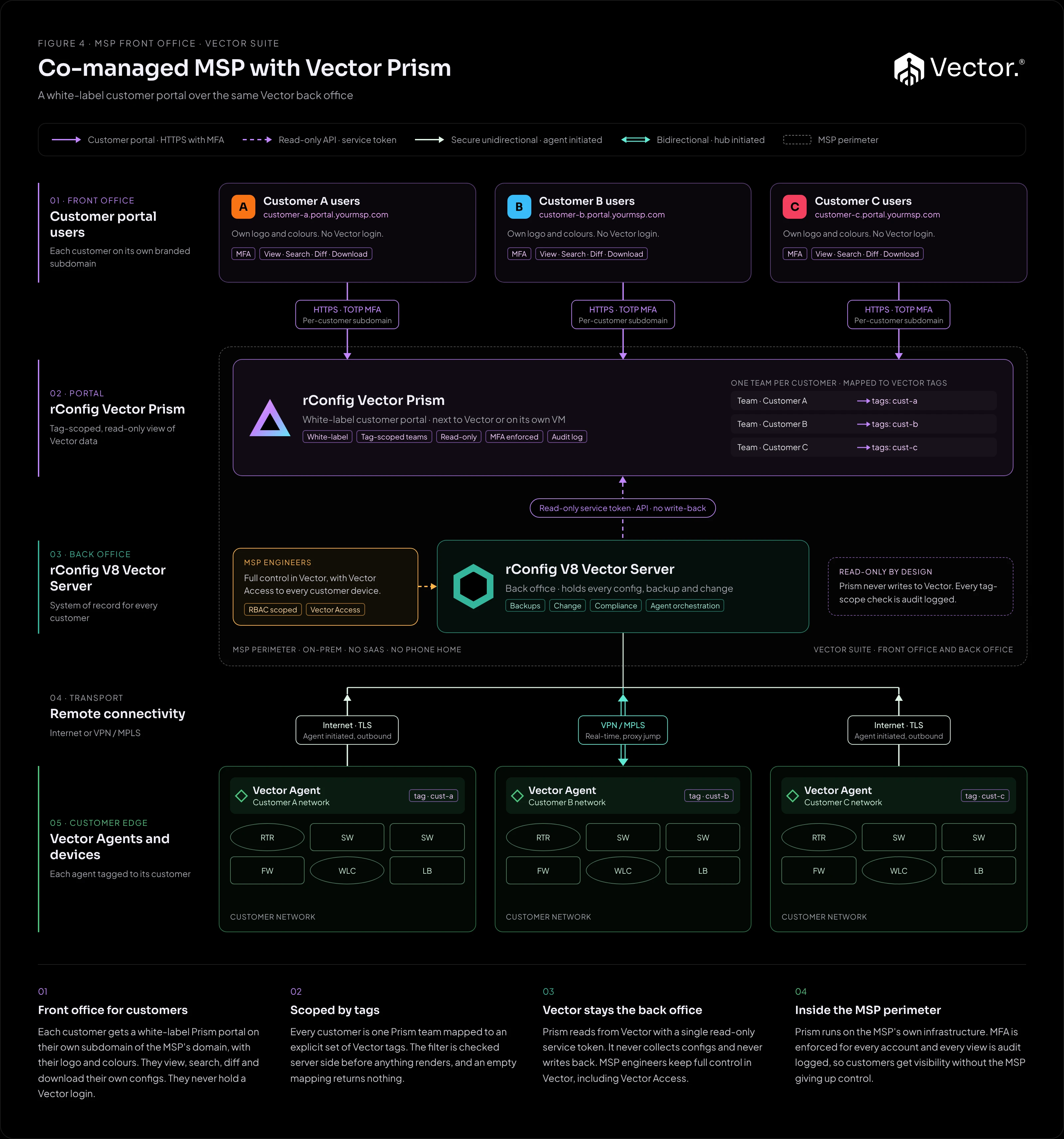
Figure 4Reference design Co-managed MSP with Vector Prism A white-label, tag-scoped, read-only customer portal over any of Figures 1 to 3.
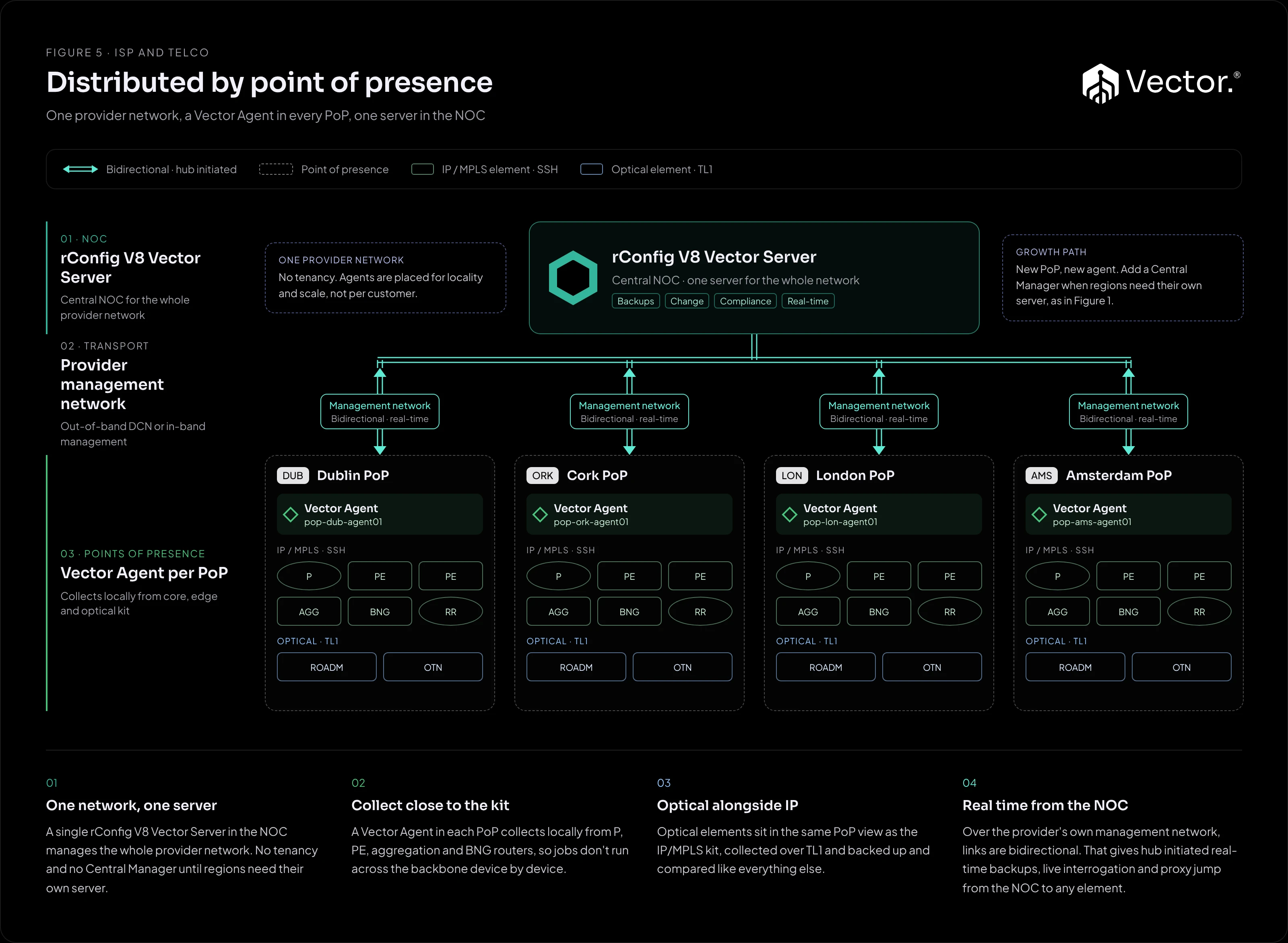
Figure 5Reference design Distributed by point of presence One server in the NOC and an agent in every PoP of a single provider network.
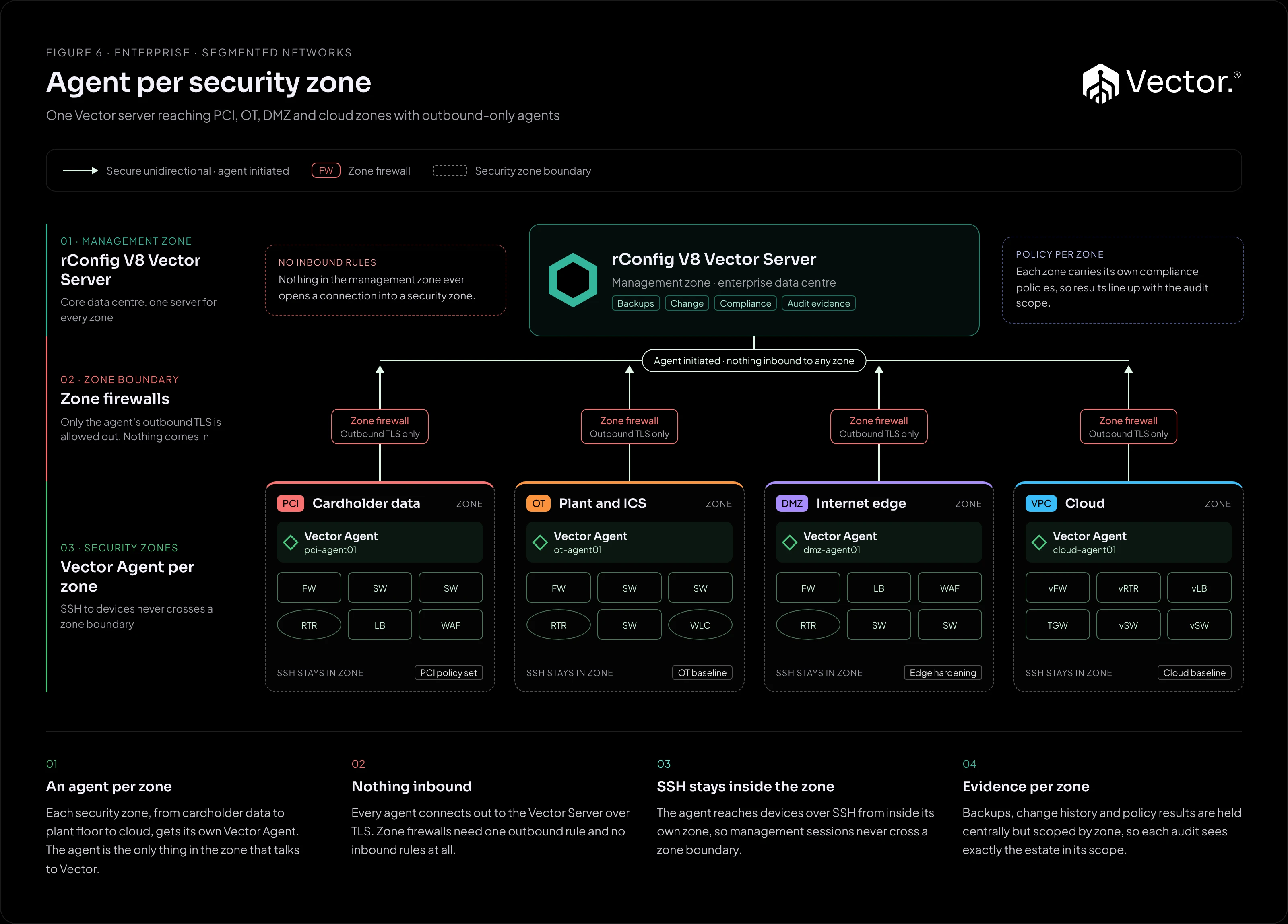
Figure 6Reference design Agent per security zone Outbound-only agents inside each security zone. No inbound rules, and SSH stays in the zone.
Not sure which one fits? Start with the architecture overview, which compares all six and walks through the choice.
Quick links
- Architecture overview: comparison matrix and how to choose.
- Connectivity: secure unidirectional and bidirectional modes, and mixing them on one server.
- Vector Access: how an engineer reaches a customer device through the server and the customer’s agent.
- Reference index: every Vector page in the main documentation, grouped by task.