

Choosing a vault
As with identity providers, you rarely pick a vault for rConfig. You connect to the one your security team already runs. This page covers what differs between the three, how to run more than one, and how to organise device secrets so rConfig’s access stays narrow.
The three providers
| HashiCorp Vault | Idira (CyberArk) CCP | Delinea Secret Server | |
|---|---|---|---|
| Status | Verified | Early access, from V8.4.2 | Early access, from V8.4.2 |
| rConfig signs in with | Static token (no AppRole) | Application ID with allowed machines, optional client certificate | API user, OAuth2 password grant |
| A credential set points at | A KV secret path | An account, by CCP query (usually safe and account name) | A secret, by ID |
| Enable password | A key in the secret | A platform property, if defined | A field in the secret template |
CyberArk is now part of Palo Alto Networks and sold as Idira. The Central Credential Provider kept its name and API, so existing CyberArk deployments work too.
Several vaults at once
From V8.4.2 more than one vault can be switched on in the same rConfig. Each vault credential set belongs to the vault it was created with, so device groups can follow whichever team owns them:
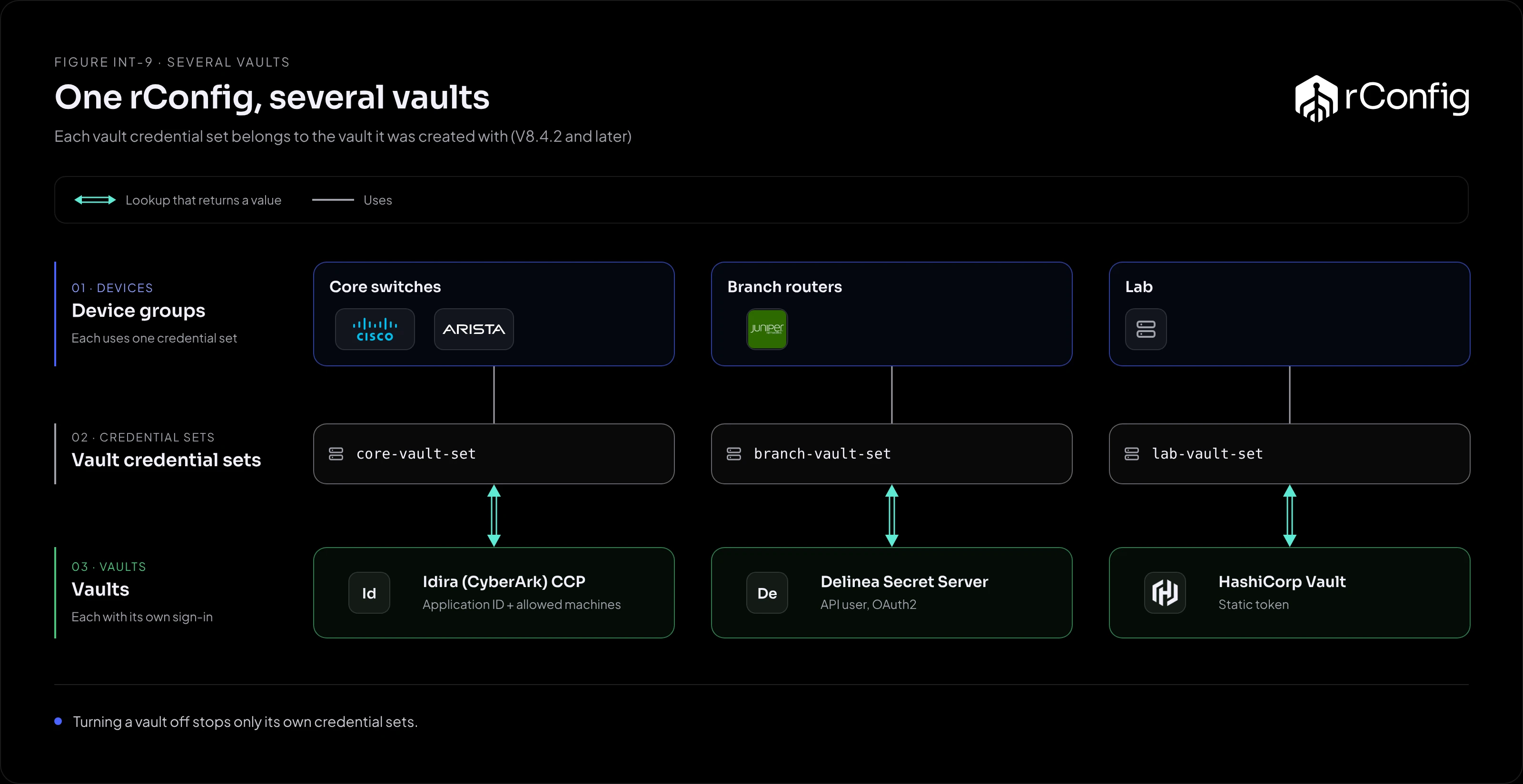
| Devices | Credential set | Vault |
|---|---|---|
| Core switches | core-vault-set |
Idira (CyberArk), owned by the security team |
| Branch routers | branch-vault-set |
Delinea Secret Server, owned by the regional team |
| Lab | lab-vault-set |
HashiCorp Vault, owned by engineering |
Switching one vault off stops only its own credential sets. Backups for the other groups carry on.
This is also how to move from one vault to another: create credential sets against the new vault, move devices across group by group, and switch the old vault off once nothing uses it.
Organising device secrets
How secrets are laid out in the vault decides how many credential sets rConfig needs, and how narrow its access can be.
One shared secret per device group. Most networks use the same credentials across a role or a site. One secret for all core switches means one credential set, one place to rotate, and a small grant for rConfig. This suits most estates.
One secret per device. Needed where every device has its own password. It’s the strongest isolation, but it means one credential set per device in rConfig, so it suits small, high-value groups (firewalls, out-of-band) rather than whole estates.
Keep network secrets apart. Whatever the granularity, keep device secrets in their own path, safe or folder, so rConfig’s identity can be granted exactly that and nothing more.