

Monitoring-led inventory
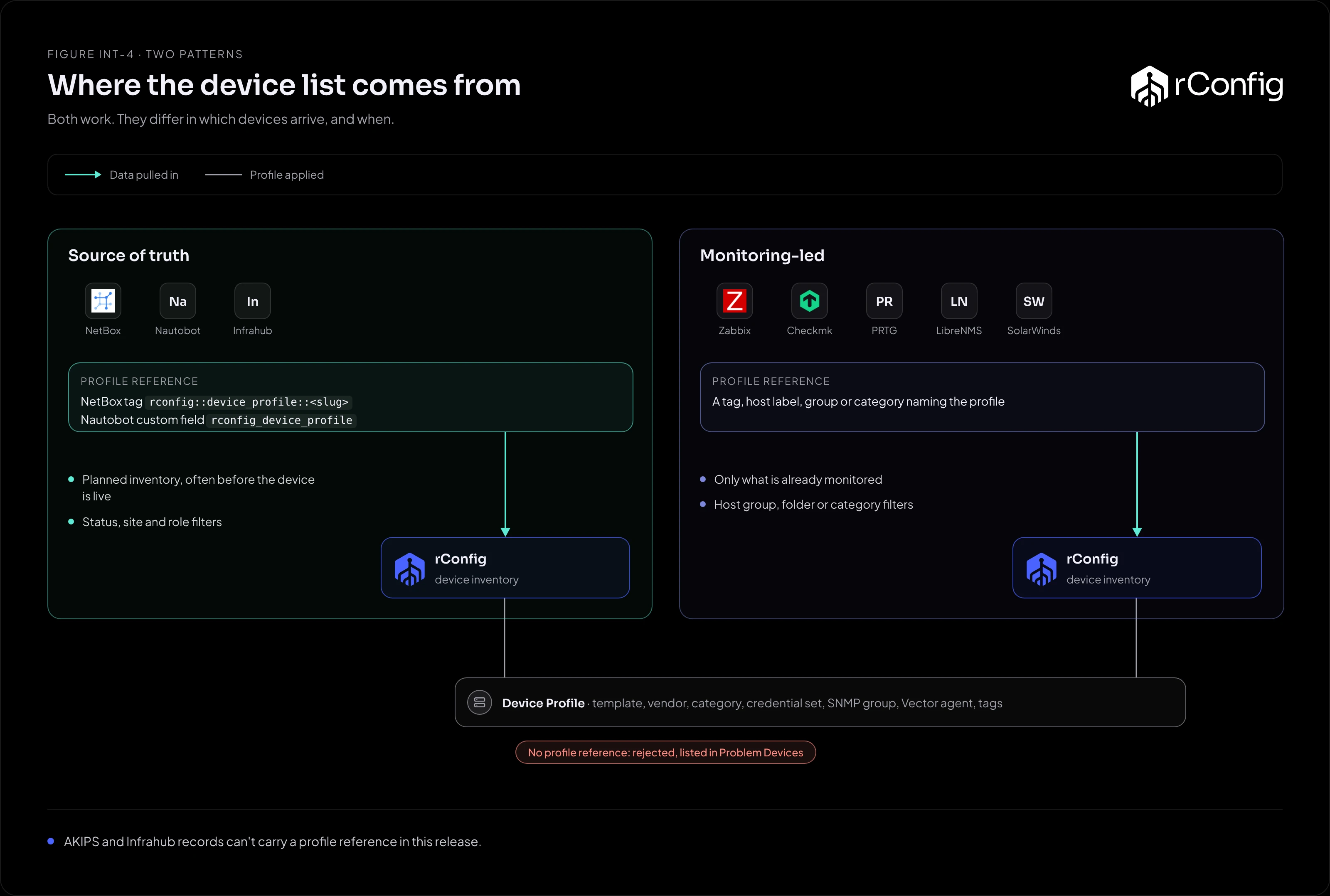
In many networks the monitoring platform has the most complete list of devices. Every router and switch that matters is polled, because someone would notice if it weren’t. Syncing from monitoring gets that list into rConfig with little extra work.
What the pattern gives you
- Coverage from day one. If it’s monitored, it can be backed up.
- A list that’s already maintained. Monitoring teams add devices because alerts depend on it.
- Groups that map to backup needs. Host groups, folders and categories usually follow vendor, role or site, which is how Device Profiles divide devices too.
The trade-offs:
- Monitoring isn’t intent. It holds what answers, including devices nobody planned. Scope with filters.
- Hostnames follow the monitoring tool. A display name like
Core switch (Dublin)isn’t a device hostname. Check how the driver picks the hostname before the first apply run. - A device removed from monitoring is treated as gone. Removing a host from Zabbix during an outage disables its link in rConfig.
How each platform carries the profile
Each record needs a Device Profile reference. Monitoring platforms carry it in whatever grouping they offer:
| Platform | Profile reference | Filters |
|---|---|---|
| Zabbix | Host tag rconfig::device_profile with the slug as its value (inherited tags count) |
Host groups, hosts, status, maintenance status |
| Checkmk | Host label rconfig: device_profile--<slug> (a label, not a host tag) |
Folder, label, attribute, site |
| PRTG | Device tag rconfig::device_profile::<slug> |
Status, tags, name |
| Statseeker | Group or tag rconfig::device_profile::<slug> |
Name, group, status |
| LibreNMS | Device group named rconfig::device_profile::<slug> |
Device group, OS, type, location |
| Observium | Device group named rconfig::device_profile::<slug> |
Device group, OS, type, location |
| OpenNMS | Surveillance category named rconfig::device_profile::<slug> |
Category, requisition, location |
| SolarWinds NPM | Orion group named rconfig::device_profile::<slug> |
Vendor, machine type, custom property, group, polling method |
| Tufin AKIPS | None per device. AKIPS has no tags or groups the driver can read, so every device takes the instance’s Default Device Profile (V8.4.3 and later) | The mlist query itself |
A record with no profile reference takes the instance’s Default Device Profile, set on the Setup tab (V8.4.3 and later). With no default set, it’s rejected and listed in Problem Devices. On a monitoring platform a default is a useful safety net for devices nobody has tagged yet, as long as the default profile’s template and credentials suit them.
Scoping with filters
Start narrow and widen:
- Filter to one group of network devices (a Zabbix host group, a Checkmk folder, a LibreNMS device group).
- Run an Extract Preview and check the hostnames and addresses the driver produces.
- Run a preview sync and clear Problem Devices.
- Apply, schedule, then widen the filter.
Exclude what rConfig can’t back up: servers, printers, UPSs and anything without a CLI or API rConfig has a template for. A filter is cheaper than a pile of failed backups.
Maintenance windows deserve a thought. If a status filter drops devices that are in maintenance, their links are disabled while they’re in it. On Zabbix, leave maintenance status out of the filter unless you want that.
When to use it
- Monitoring is your most complete and best maintained device list.
- You don’t have, or don’t trust, a source of truth.
- You want new monitored devices backed up without a separate step.
When something else fits better
- A maintained source of truth exists. It’s the better authority. See Source of truth first.
- You run several monitoring servers that overlap. Read Several sources, several instances first.