

Start rConfig HA from RTO and RPO
There is no single right HA design for rConfig. The right one follows from two numbers agreed with the business before anyone picks software. This page explains what each number means for rConfig specifically, and how they drive the choice at every layer.
The two numbers
| Target | The question | For rConfig, it decides |
|---|---|---|
| Recovery Time Objective (RTO) | How long can rConfig be unavailable? | Manual or automatic failover, and whether a restore from backup is good enough |
| Recovery Point Objective (RPO) | How much recent data can be lost? | Synchronous or asynchronous replication, and how storage is kept in step |
Agree them per service, not per server. “rConfig must be back within 15 minutes and lose no more than 5 minutes of configs” is a target. “Two servers” is not.
What an outage actually costs in rConfig
It helps to be specific about what is lost or delayed, because it’s often less than people assume:
- While rConfig is down, no backups run, no compliance checks run, and change detection pauses. Devices keep working. Missed scheduled backups run at the next interval after recovery.
- Data written just before a failure (the last configs downloaded, a compliance report in progress) is what the RPO protects. Device configs can be collected again; audit history and manual changes in rConfig can’t.
- Jobs in the queue are in Redis or Valkey. If they’re lost, scheduled ones come round again; manual ones need re-running.
Many teams find an RTO measured in tens of minutes is acceptable for rConfig, which makes a simpler design possible.
From targets to design
| Your targets | Fits | What it means |
|---|---|---|
| RTO of hours, RPO of a day | Single server with good backups | Restore to a new server from the nightly backup. No HA infrastructure |
| RTO under an hour, RPO of minutes | Active/passive with manual failover | A standby node and replicated data; an engineer runs the failover runbook |
| RTO of minutes, RPO of seconds | Active/passive with automatic failover | A VIP with health checks, automatic database and Redis or Valkey failover, shared or continuously replicated storage |
| RTO of minutes, and the whole site may be lost | Active/passive across two sites | The passive node and data replicas in a second site, with the latency and split-brain risks that brings |
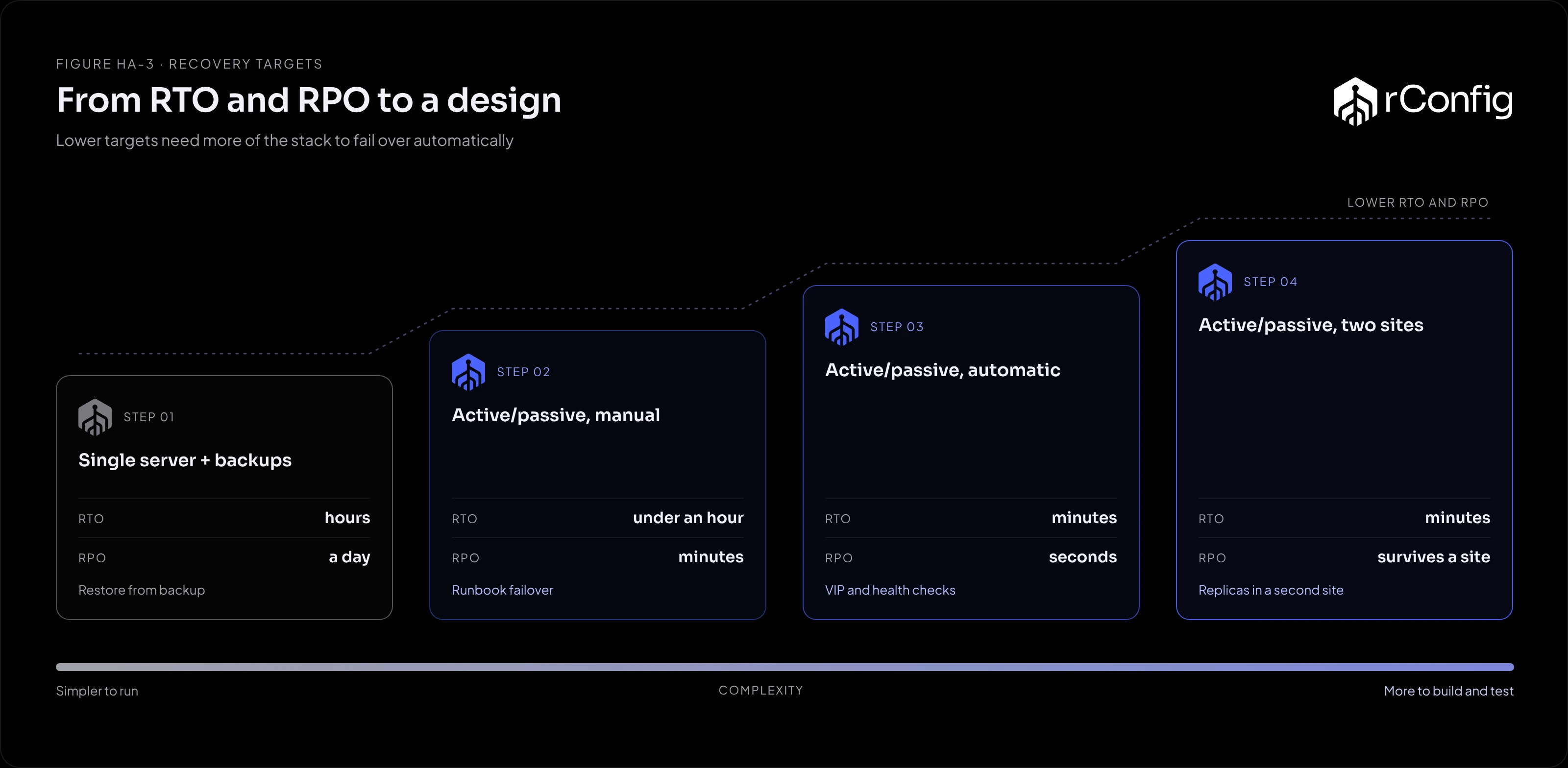
Every layer must meet the target. Automatic application failover in 30 seconds doesn’t help if the database takes 20 minutes to promote by hand.
Per layer
| Layer | Lower RTO needs | Lower RPO needs |
|---|---|---|
| Application nodes | A VIP with automatic, health-checked failover | Nothing extra: the nodes hold no unique data |
| Database | Automatic failover (Patroni, MaxScale, InnoDB Cluster, a managed service) | Synchronous replication, at a cost in write speed |
| Redis or Valkey | Sentinel with a VIP | Replication plus persistence (AOF); some queued jobs can still be lost |
| Storage | Shared storage that is itself highly available | Shared storage, or continuous replication with little lag |