

Network Configuration Change Management - rConfig V8
Change Manager: Unified Configuration Change Control
Section titled “Change Manager: Unified Configuration Change Control”Change Manager bridges the gap between understanding what changed and controlling what will change. After reading this page, you can explain how Change Pulse (available now) and Change Forge (coming Q3 2026) work together to turn reactive change detection into proactive change governance.
The change management gap
Section titled “The change management gap”Configuration management has traditionally split into two disconnected activities:
- Reactive change detection: Configuration backups capture device configs on a schedule, generating diffs when changes are detected. These answer “what changed?” but not why it changed, who authorized it, or whether it followed policy.
- Manual change processes: Approvals live in ticketing systems, spreadsheets, or email, separate from the configuration management system. When unauthorized changes occur, correlating approval records with diffs requires manual investigation.
Change Pulse and Change Forge close this gap by combining historical visibility with approval-driven control.
Change Pulse: historical change visibility
Section titled “Change Pulse: historical change visibility”Change Pulse analyzes configuration diffs generated during backups to surface change patterns, frequency trends, and anomalies.
Core capabilities:
- Change timeline: Chronological view of configuration modifications, filterable by date range, device, or change type.
- Change metrics: Changes this month, changes this week, unreviewed changes, and critical changes flagged for attention.
- Pattern analysis: Highlights devices with high change frequency, coordinated change clusters, unusual change timing, and recurring change types.
- Audit trail: What changed, when, the magnitude of the change, and which devices were affected.
Typical uses include daily operational awareness, compliance auditing (HIPAA, SOX, PCI-DSS), troubleshooting context after an incident, and detecting unauthorized changes outside approved windows.
For full details, see the Change Pulse guide.
Change Forge: approval workflow control
Section titled “Change Forge: approval workflow control”Change Forge will introduce structured approval workflows, turning ad-hoc change processes into governed, auditable procedures.
Planned capabilities:
- Approval workflows: Configurable approval chains with role-based routing and parallel or sequential review paths.
- Automated validation: Syntax checks, policy compliance checks, impact analysis, and dependency checks before deployment.
- Controlled deployment: Scheduled windows, phased rollouts, automated rollback on failure, and deployment verification.
- Stakeholder visibility: Real-time approval status, notifications, and audit documentation linking approvals to deployments.
The Change Forge workflow runs through five stages: change request submission, automated validation, approval routing, scheduled deployment, and verification, where Change Pulse confirms the deployed change matches the approved request.
For full details, see the Change Forge guide.
How Pulse and Forge work together
Section titled “How Pulse and Forge work together”Once Change Forge is available, the two tools form a closed loop:
- Approved changes: A change is requested and approved in Change Forge, deployed during a maintenance window, then detected by Change Pulse on the next backup. The system correlates the detected change with the approval record and marks it “Approved and Implemented” in the audit trail.
- Unapproved changes: Change Pulse detects a modification with no matching Change Forge approval. An “Unapproved Change Detected” alert fires, triggering an investigation that ends in retroactive approval, rollback, or a configuration-drift correction.
- Policy tuning from trends: If Change Pulse analytics show most changes on a given device class are routine and low-risk, that change type can be set to auto-approve in Change Forge, reducing approval backlog while Pulse continues to flag exceptions.
This same loop applies to emergency changes (fast-tracked retroactive approval) and automation-driven changes (auto-approved via API-submitted Forge requests), keeping every modification visible, governed, and auditable.
Accessing Change Manager
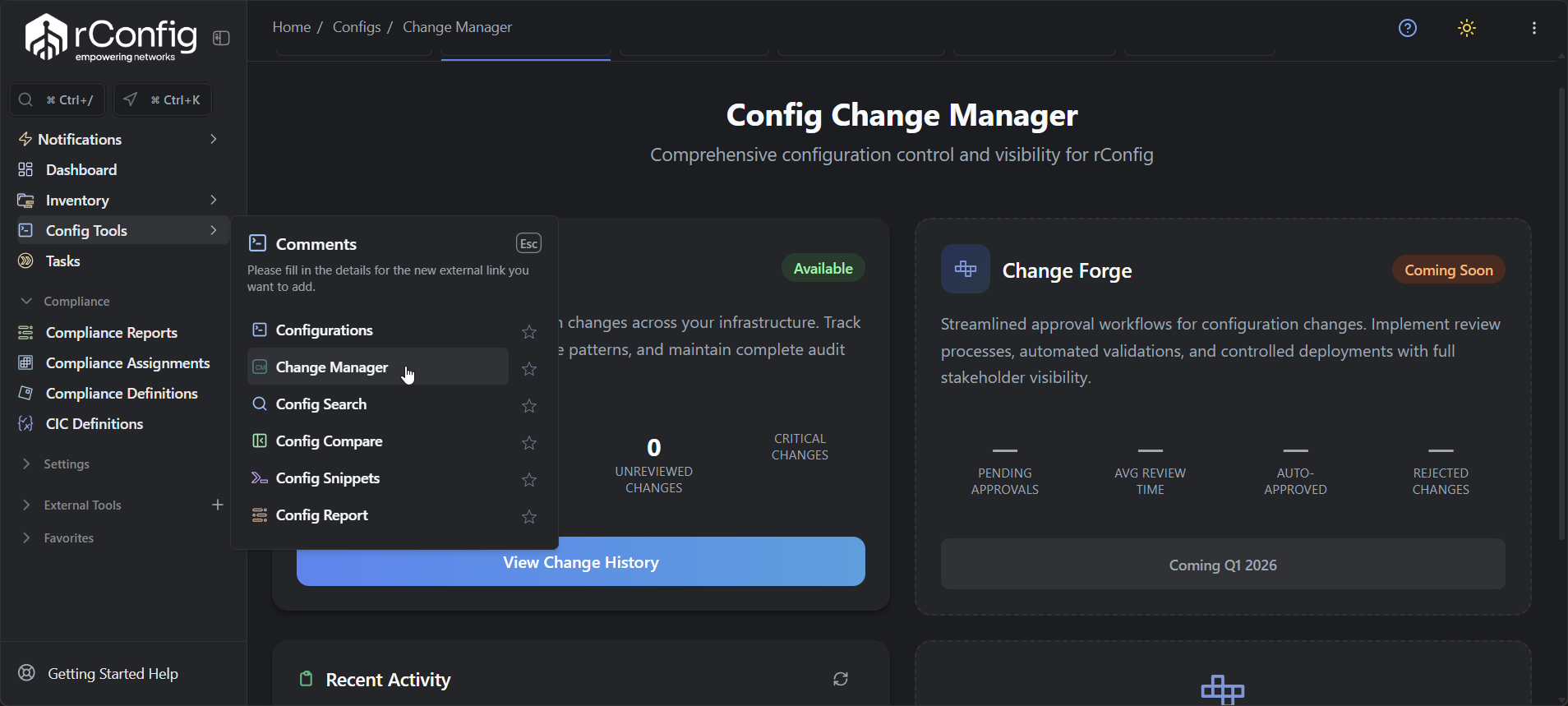
Section titled “Accessing Change Manager”Navigate to Config Tools → Change Manager.
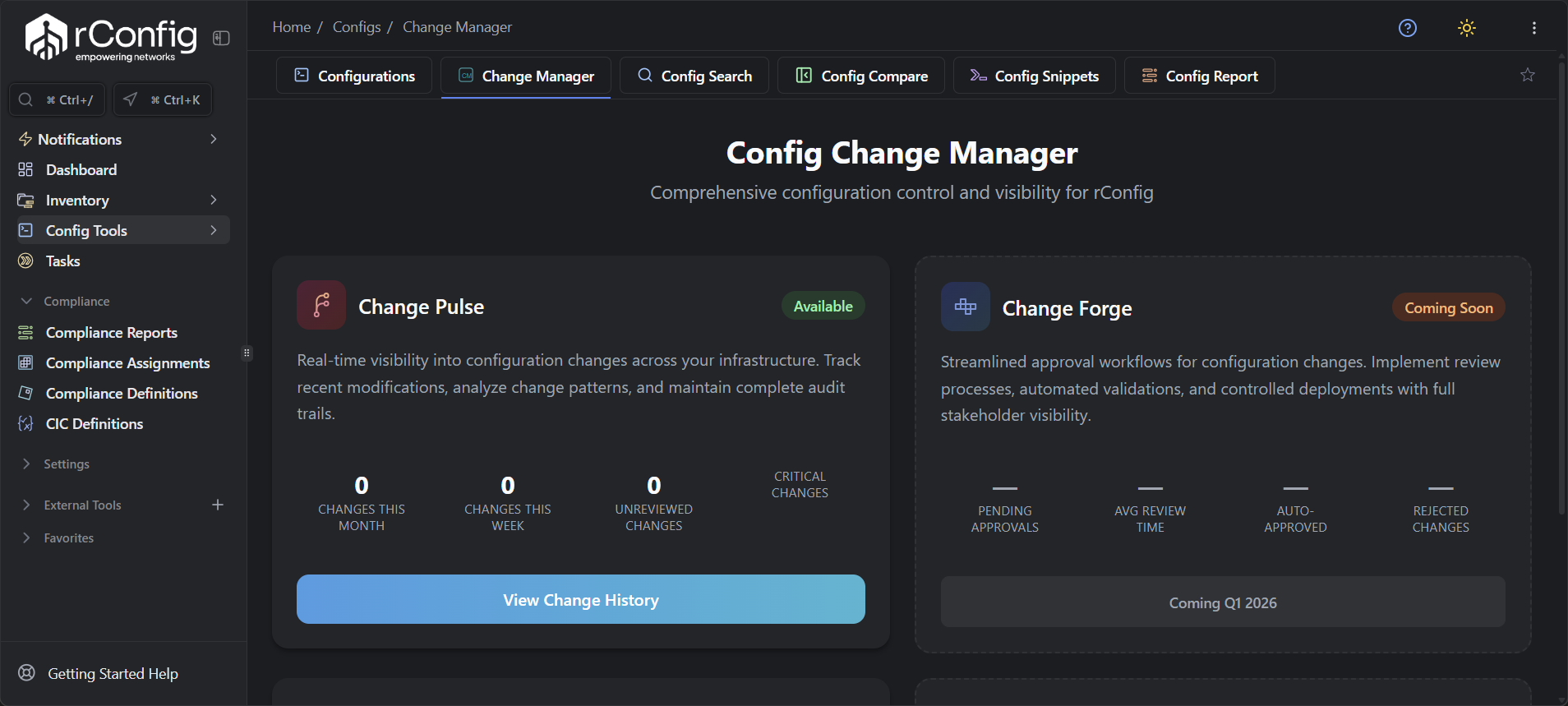
The landing page combines both tools:
- Change Pulse section (available now): current month/week change metrics, unreviewed and critical change counts, and a Recent Activity feed with a link to full Change History.
- Change Forge section (coming Q3 2026): pending approval counts, average review time, and auto-approval/rejection statistics, with a link to Approval Workflow management.
Roadmap
Section titled “Roadmap”- Q3 2026: Core approval workflow engine, basic approval routing and notifications, manual change request submission, and correlation with Change Pulse detections.
- Q4 2026: Automated validation rules, impact analysis, multi-stage approval workflows, change request templates, and an API for programmatic submissions.
- Q1 2027: Automated deployment integration, rollback, phased deployment orchestration, advanced analytics, and integration with external ticketing systems.
Long-term vision: predictive change analytics (machine learning on Change Pulse data to flag risk and recommend maintenance windows), a self-service change portal for non-network staff, and continuous automated compliance checking.
Preparing for Change Forge
Section titled “Preparing for Change Forge”While Change Forge is in development, get ahead by:
- Documenting current change approval processes so they map cleanly onto Change Forge workflows.
- Identifying who needs to approve each change type (technical reviewers, business approvers, security team).
- Defining low-risk change types that can be auto-approved.
- Establishing the maintenance windows Change Forge scheduling should use.
- Planning API integration if automation tools will submit change requests programmatically.