

How to generate AI-friendly REST API docs in rConfig V8
How to generate AI-agent-friendly REST API docs in rConfig V8
Section titled “How to generate AI-agent-friendly REST API docs in rConfig V8”After reading this page, you can generate a Markdown export of the rConfig REST API and load it into an AI coding agent so it can call the API correctly without you explaining every endpoint by hand.
When to use this
Section titled “When to use this”Use this page when you’re building an integration or automation against the rConfig REST API with the help of an AI agent, and want the agent working from an accurate, machine-readable reference instead of guessing at endpoint shapes.
Prerequisites
Section titled “Prerequisites”- Access to the AI Center in rConfig
- Admin role to generate or refresh the docs; any user with AI Center access can view, copy, or download an already-generated export
Step-by-step walkthrough
Section titled “Step-by-step walkthrough”1. Open the API Docs tab
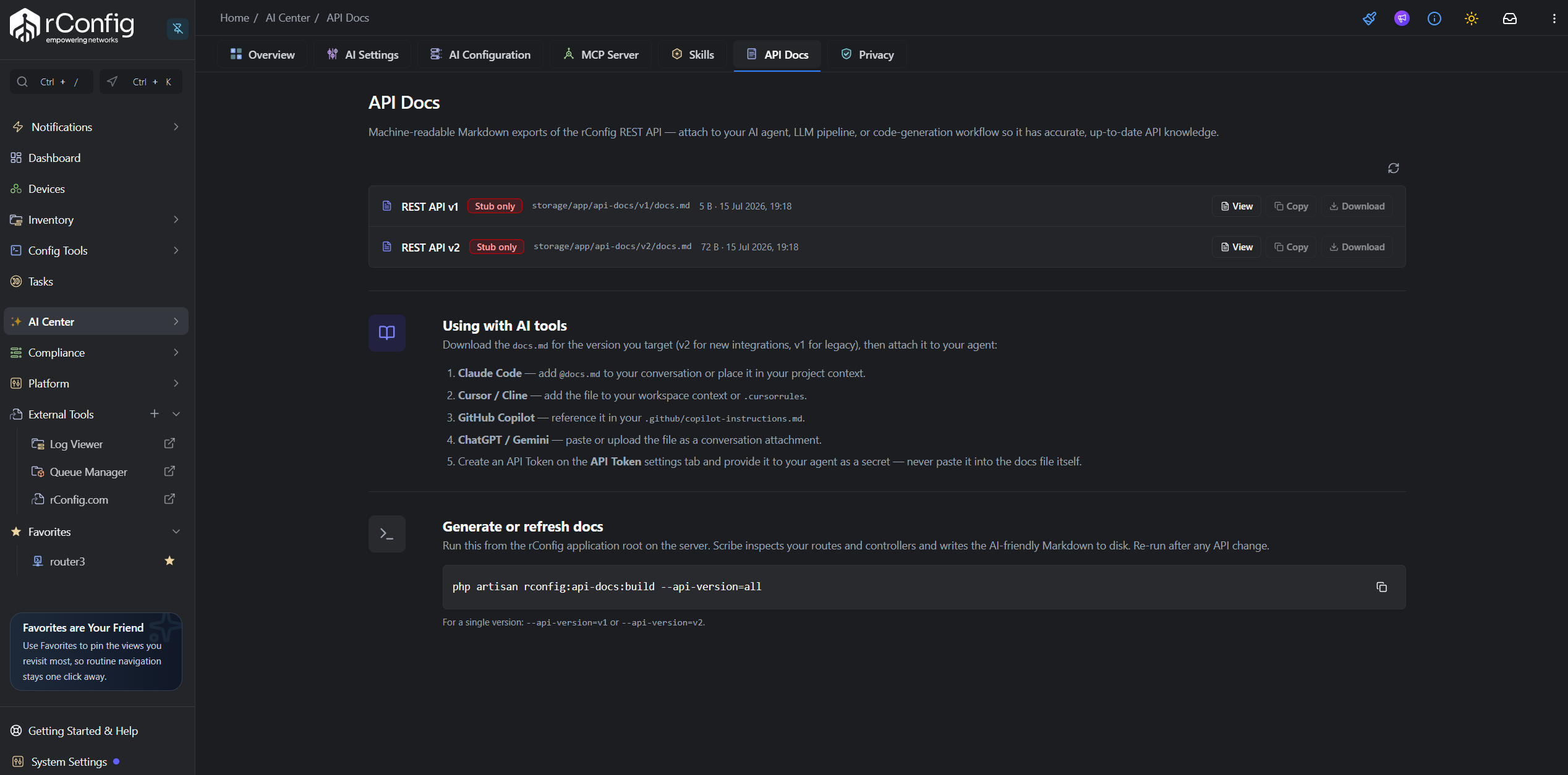
Section titled “1. Open the API Docs tab”- Click AI Center in the left sidebar.
- Select the API Docs tab.
Two rows are listed, REST API v1 and REST API v2, each with a status badge: Not generated, Stub only, or Generated.
2. Generate or refresh the docs
Section titled “2. Generate or refresh the docs”If a version shows Not generated or Stub only, an admin needs to run the build command on the rConfig server:
php artisan rconfig:api-docs:build --api-version=allOr generate a single version:
php artisan rconfig:api-docs:build --api-version=v1php artisan rconfig:api-docs:build --api-version=v2This extracts the API’s route definitions and writes a Markdown file to storage/app/api-docs/{version}/docs.md. Once generated, refresh the API Docs tab and the status badge updates to Generated.
3. View, copy, or download
Section titled “3. View, copy, or download”Use the View, Copy, and Download buttons on each row to read the export in the browser, copy it to your clipboard, or save it as a file.
Using the export with an AI agent
Section titled “Using the export with an AI agent”Reference the downloaded file directly in a prompt, for example @docs.md, so Claude Code loads it as context for the conversation.
Save the export as part of your project’s .cursorrules (or equivalent Cline configuration) so the agent has it available automatically.
Save the export into .github/copilot-instructions.md in your repository so Copilot picks it up as workspace context.
Paste the Markdown content directly into the chat, or upload the downloaded file if your plan supports file uploads.